


A blog without SEO is a diary. A blog with SEO is a traffic engine. The difference between content that gets 50 visits per month and content that gets 5,000 comes down to how well each post is optimized for search.
Blog SEO is not complicated, but it requires a systematic approach. Here are the steps that move the needle.
What Is Blog SEO?
Blog SEO is the practice of optimizing blog content, site structure, and technical setup so that individual posts rank higher in search engine results. The goal is to attract organic traffic from people searching for topics your blog covers.
Blog SEO includes keyword research, on-page optimization, internal linking, page speed, and content formatting. Each element contributes to how Google evaluates and ranks your posts.
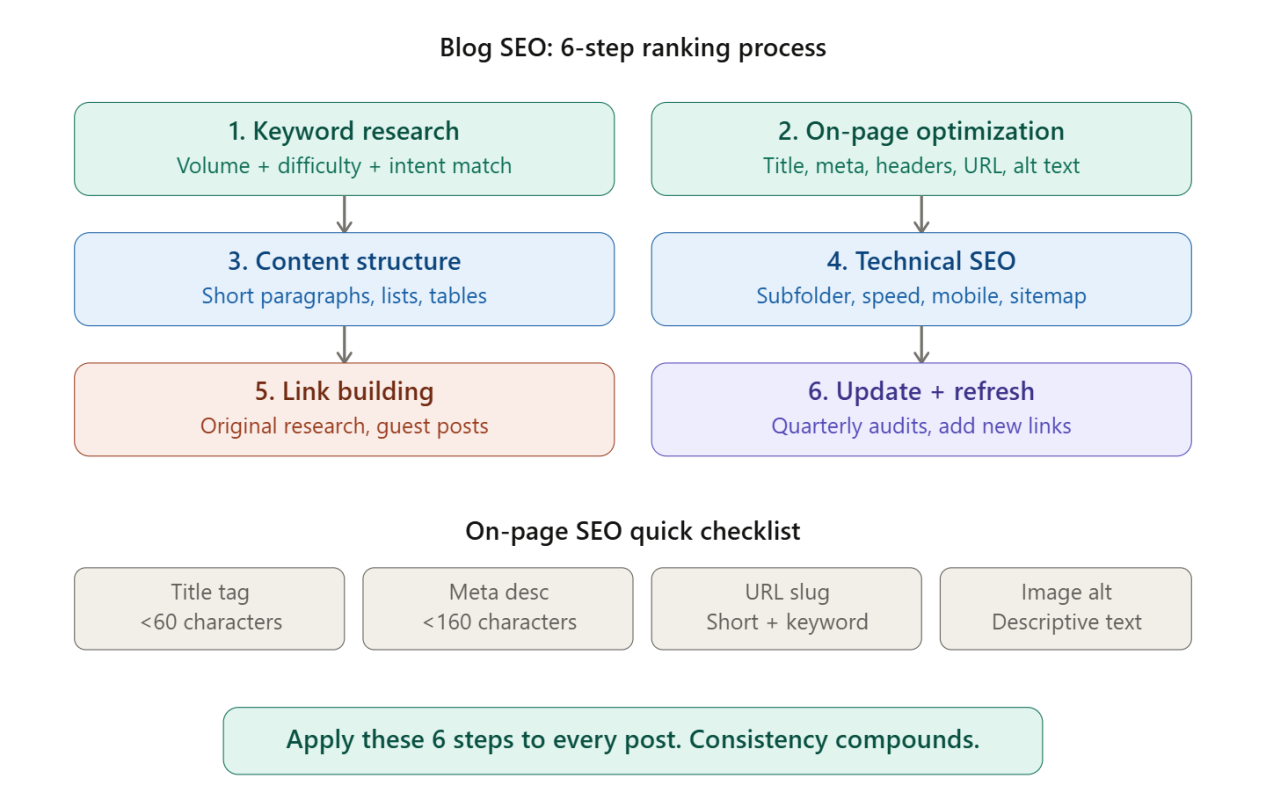
Step 1: Find the Right Keywords
Every blog post should target a specific keyword or keyword cluster. Writing without a target keyword means hoping Google figures out what your post is about. Hope is not a strategy.
Use Keyword Research Tools
Tools like Ahrefs, Semrush, and Google Keyword Planner reveal what people actually search for. Enter a seed topic and review keyword suggestions sorted by search volume, keyword difficulty, and traffic potential.
Focus on keywords where:
- Monthly search volume is above 100
- Keyword difficulty matches your site’s authority level
- The search intent matches the content format you plan to create
Match Search Intent
Search intent is the reason behind a query. Google categorizes intent into four types: informational, navigational, commercial, and transactional. Check the top 10 results for your target keyword before writing. If every result is a listicle, write a listicle. If every result is a step-by-step guide, write a guide. Matching the format that already ranks is essential. Reviewing how top SEO companies approach intent matching shows the pattern clearly.
Step 2: Optimize On-Page Elements
On-page SEO covers the elements within your blog post that signal relevance to search engines.
Title Tag
Include the primary keyword near the beginning of the title tag. Keep the title under 60 characters so it displays fully in search results. Make the title specific and compelling enough to earn clicks.
Meta Description
Write a meta description under 160 characters that includes the keyword and summarizes what the reader will learn. A strong meta description improves click-through rate from search results.
Header Structure
Use one H1 tag for the post title. Use H2 tags for main sections and H3 tags for subsections. Include the primary keyword in at least one H2. Headers create a logical structure that both readers and search engines use to understand the content.
URL Structure
Keep URLs short and descriptive. Use hyphens to separate words. Include the target keyword. A URL like /blog/blog-seo-guide/ outperforms /blog/2026/04/how-to-do-seo-for-your-blog-posts-complete-guide/.
Image Optimization
Add descriptive alt text to every image. Compress images to reduce file size without losing quality. Use WebP format where possible. According to HTTP Archive’s 2024 Web Almanac, images account for nearly 50% of a typical webpage’s total weight, making compression essential for page speed.
Step 3: Structure Content for Readers and Crawlers
How you format your blog post affects both user engagement and search rankings.
Lead With the Answer
Place the most important information at the top of each section. Readers scanning the page should find the answer quickly. Search engines use the same priority when extracting content for featured snippets and AI overviews.
Use Short Paragraphs
Paragraphs longer than 3 to 4 sentences lose readers on mobile devices. One idea per paragraph keeps the content scannable.
Add Lists and Tables Where Appropriate
Numbered lists for step-by-step processes and bullet points for grouped items make content easier to scan. Comparison tables help readers evaluate options quickly and increase the chance of appearing in featured snippets.
Include Internal Links
Link to related posts within your blog. Internal links distribute page authority across your site and help search engines discover and index new content. Every blog post should include 3 to 5 internal links to relevant articles. Reviewing how content creation services structure internal linking across client blogs reveals effective patterns.
Step 4: Fix Technical Blog SEO Issues
Technical problems can prevent well-written content from ranking.
Host Your Blog on a Subfolder
Place your blog at yourdomain.com/blog/, not blog.yourdomain.com. Subfolders inherit domain authority from your main site. Subdomains are treated as separate entities, which splits authority.
Improve Page Speed
Slow pages lose both readers and rankings. Target a Largest Contentful Paint (LCP) under 2.5 seconds. Compress images, minimize JavaScript, and use a content delivery network (CDN) for faster loading.
Ensure Mobile Responsiveness
Over 60% of search traffic comes from mobile devices. Every blog post must render correctly on phones and tablets. Test with Google’s Mobile-Friendly Test tool and fix layout issues that affect readability.
Submit an XML Sitemap
An XML sitemap tells Google which pages exist on your site. Submit it through Google Search Console and update it automatically when new posts publish. Most CMS platforms generate sitemaps automatically.
Step 5: Build Links to Your Best Content
Backlinks from other websites signal authority to Google. Blog posts with strong backlink profiles rank higher than those without.
Create Link-Worthy Content
Original research, data studies, free tools, and comprehensive guides earn links naturally. A post with original data gets cited by other bloggers and journalists, generating backlinks without outreach.
Guest Post on Relevant Sites
Writing guest articles for industry blogs earns contextual backlinks and brand exposure. Target sites that your audience reads, not just sites with high domain authority.
Promote Through Email and Social
Sharing new posts with your email list and on LinkedIn drives initial traffic that can lead to organic links. The first wave of readership often includes bloggers and content creators who link to useful resources. Using tools like AI writing assistants to draft outreach emails can save time during promotion.
Step 6: Update and Refresh Existing Posts
Blog SEO is not a publish-and-forget activity. Google favors fresh, accurate content. Audit your blog quarterly and update posts that:
- Have declining traffic or rankings
- Contain outdated information, statistics, or screenshots
- Could benefit from additional sections or improved formatting
- Lack internal links to newer blog posts
A refreshed post can regain lost rankings within weeks. Regular updates extend the lifespan of your best-performing content.
Rank Higher Starting With Your Next PostBlog SEO is a repeatable process. Research the keyword, optimize on-page elements, structure content for scannability, fix technical issues, and build links. Apply these steps consistently and every post becomes a long-term traffic asset.
Drop a comment with your blog’s biggest SEO challenge, or explore our guide to SaaS SEO agencies for professional help scaling your organic traffic.
Frequently Asked Questions
What is blog SEO?
Blog SEO is the practice of optimizing blog posts and site structure to rank higher in search engine results, attracting organic traffic from people searching for relevant topics.
How long does it take for a blog post to rank on Google?
New blog posts typically take 3 to 6 months to reach their ranking potential. Posts on established domains with strong authority may rank faster.
Should a blog be on a subfolder or subdomain?
A subfolder (yourdomain.com/blog/) is recommended. Subfolders inherit domain authority from the main site, while subdomains are treated as separate entities by search engines.
How many internal links should a blog post have?
Include 3 to 5 internal links per blog post, pointing to related articles on your site. Internal links help distribute page authority and improve crawlability.
How often should you update old blog posts?
Audit blog content quarterly. Update posts with declining traffic, outdated information, or missing internal links. Regular refreshes maintain and improve rankings.
What is the most important on-page SEO element?
The title tag is the most impactful on-page element. Including the primary keyword near the beginning of a compelling, specific title tag directly influences click-through rates and rankings.